Human Anatomy Color Icons: A Versatile Design Resource
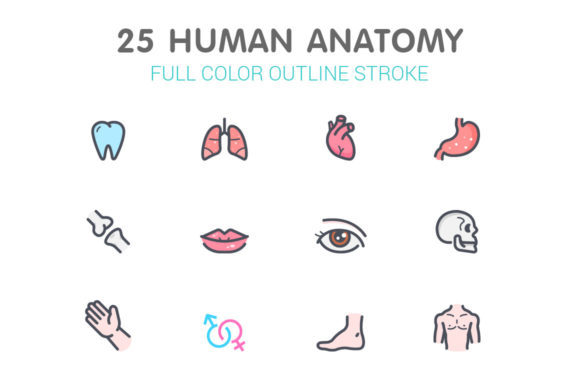
Designers, educators, and digital marketers often face the challenge of visually communicating complex biological concepts in an engaging and accessible way. Human Anatomy Color Icons offer a practical solution. These icons are designed to represent various parts of the human body with clarity and visual appeal. Whether you're creating educational materials, health-related apps, or marketing content for wellness brands, these icons can significantly enhance your projects.
What Makes Human Anatomy Color Icons Stand Out?
Each icon in this collection is meticulously crafted to ensure anatomical accuracy while maintaining a clean, modern aesthetic. The color palette is thoughtfully selected to align with common design standards, making these icons easy to integrate into diverse visual environments. Available in multiple file formats—AI, EPS, SVG, PNG, PSD, and JPG—they offer flexibility for both vector and raster-based workflows.
The icons come in four distinct sizes: 64x64, 128x128, 256x256, and 512x512 pixels. This range ensures optimal display across different platforms, from mobile apps to high-resolution print materials. Illustrator AI files include separate artboards for each icon, streamlining the design process for Adobe users. Additionally, each icon is available as an individual SVG or PNG file, making it easy to manage and scale as needed.
Practical Applications Across Industries
One of the most compelling aspects of Human Anatomy Color Icons is their adaptability. Here are some real-world use cases across different fields:
- Educational Tools: Teachers and e-learning developers can use these icons to create interactive anatomy lessons, quizzes, or flashcards.
- Healthcare Apps: Medical startups and health-tech companies can integrate these visuals into patient education apps or fitness tracking platforms.
- Digital Marketing: Wellness brands and fitness influencers can enhance social media posts, landing pages, and email campaigns with visually consistent iconography.
- Presentation Design: Business professionals and educators can elevate slideshows with clear, branded visuals that support complex explanations.
- Print and Merchandise: Publishers and product designers can use these icons in posters, infographics, or branded merchandise like t-shirts and mugs.
Why These Icons Improve User Experience
Icons play a crucial role in guiding users and enhancing comprehension. Human Anatomy Color Icons are designed with usability in mind. Their intuitive design helps users quickly recognize and associate each icon with a specific body part or function. This clarity is especially valuable in applications where quick visual recognition is essential—like in mobile health apps or emergency response guides.
Moreover, because these icons are fully scalable without loss of quality, they maintain sharpness and clarity across devices. This ensures a consistent visual experience whether viewed on a smartphone screen or a large desktop monitor.
Benefits for Designers and Content Creators
For designers and developers, having access to a well-organized set of icons saves time and reduces the need for custom illustration. The availability of multiple file formats means you can work within your preferred tools—whether that's Adobe Illustrator, Photoshop, or a web-based design platform. SVG files, in particular, are ideal for responsive web design due to their scalability and compatibility with modern web standards.
These icons also support brand consistency. You can easily adjust colors or styles to align with your brand guidelines while maintaining the anatomical integrity of the design. This level of customization makes them suitable for both minimalist and more detailed visual projects.
How to Choose the Right Format
Selecting the appropriate file format depends on your specific use case:
- SVG: Best for websites, apps, and any project requiring scalable vector graphics.
- PNG: Ideal for digital use where transparency is needed, such as layered graphics or UI elements.
- JPG: Suitable for print materials or backgrounds where file size is a concern.
- AI/EPS: Recommended for professional design work in Adobe Illustrator, especially for making detailed edits.
- PSD: Useful if you're working within Photoshop and need layered files for mockups or interface design.
Implementation Tips for Best Results
When integrating these icons into your projects, consider the following:
- Consistency: Maintain a uniform style across all icons used in a single project to avoid visual clutter.
- Accessibility: Ensure that color choices do not hinder readability for users with visual impairments.
- Optimization: Compress files appropriately for web use to maintain fast load times without sacrificing quality.
- Context: Use icons that match the tone and purpose of your content—whether formal for medical use or playful for fitness apps.
Final Thoughts
Human Anatomy Color Icons are more than just visual assets—they’re tools that enhance communication, streamline design workflows, and support user engagement. Whether you're a medical educator, app developer, marketer, or graphic designer, these icons offer a reliable and professional way to convey anatomical information clearly and effectively. Their flexibility across formats and applications makes them a valuable addition to any digital or print project that involves human biology or health-related content.